Access your devices
without exposing credentials
SSH, RDP and Web from your browser, without VPN or shared passwords. Every session is recorded, every action is traced for complete auditing.
0 exposed passwords
Credentials hidden from users
100% recorded
Reviewable and auditable sessions
No VPN
Browser access through probes
4 protocols
SSH, Telnet, RDP and Web unified
Why remote access is a security blind spot
In most organizations, network teams connect to devices with practices that expose the infrastructure to major risks.
Shared credentials
Root and admin passwords are shared between technicians, stored in Excel files or shared notes. Impossible to know who uses which credential.
Complex and unsuitable VPNs
Heavy VPN infrastructure to maintain, unsuitable for external providers or one-time interventions. Each new team member requires a dedicated configuration.
No traceability
Who connected to the Paris switch on Friday at 11 PM? What commands were executed? Without a bastion, these questions remain unanswered.
Extended attack surface
SSH/RDP ports open to the Internet, thick clients installed on workstations, disparate and uncontrolled tools. Every access point is a potential vector.
A single, secure gateway
All connections to your devices go through the Intelligent Networks bastion. Credentials are stored server-side and injected automatically: your technicians connect without ever seeing a password.
-
Hidden credentials
Passwords are never revealed to users, not even administrators
-
Automatic injection
The bastion injects credentials during connection, transparently
-
Automatic privilege elevation
The configured elevation command runs automatically after connection: enable on Cisco, sudo su on Linux…
-
Simplified rotation
Change passwords at any time without impacting users
-
VPN-free access
Combined with probes, reach remote devices from a simple browser
SSH, Telnet, RDP, Web: one browser
No more SSH clients, RDP software or VPN to access web interfaces. Intelligent Networks integrates all four protocols directly in the browser, with a native experience for each.
-
SSH & Telnet access
Interactive web terminal with escape sequence support, colors, copy/paste and full text recording. Telnet supported for legacy devices
-
RDP Remote Desktop
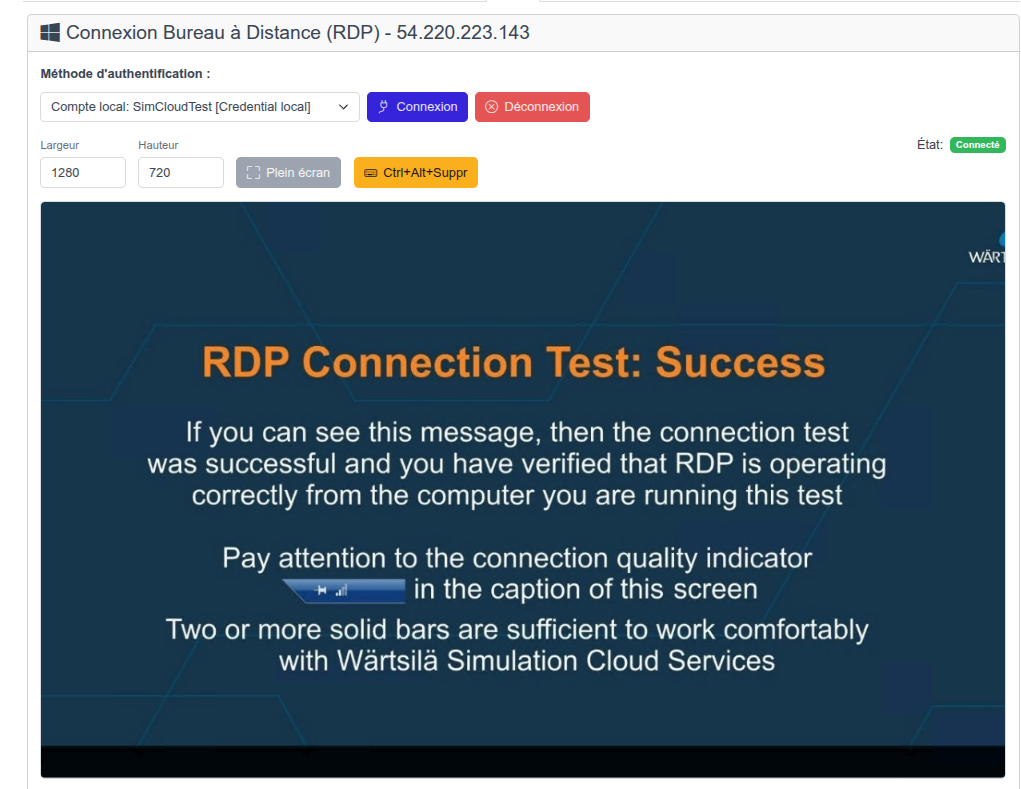
Automatic connection with stored credentials, dynamic resizing, clipboard transfer and video recording
-
Integrated Web Proxy
Access management interfaces on non-routed networks, without publishing ports in DMZ, with configurable auto-login on device login forms
Every session recorded, every action traceable
All sessions — SSH, RDP and Web — are automatically captured and reviewable after the fact. For compliance, investigation or simply knowing what was done on a device.
-
SSH/Telnet sessions
Full text recording (input/output), replay with display reconstruction and full-text search in commands
-
RDP & Web sessions
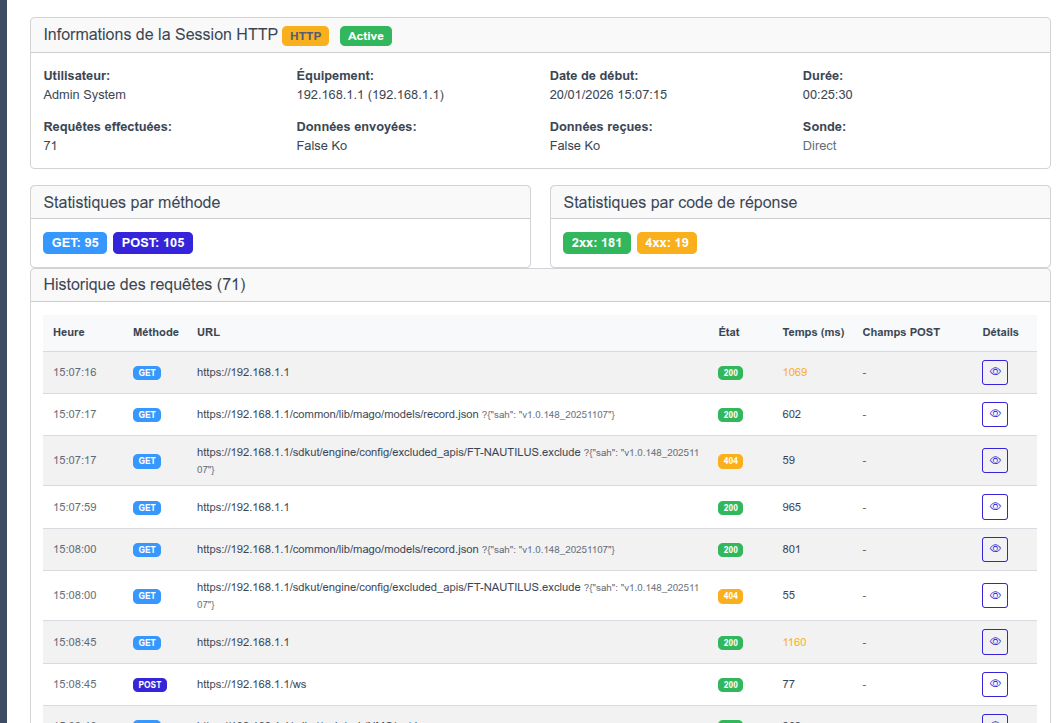
Full session video capture, timeline navigation, statistics by method and response code
-
Export and archiving
Export recordings for long-term archiving or regulatory compliance
Granular access control by roles and scopes
A flexible model combining roles (what a user can do) and scopes (where they can do it) for fine-grained access control isolation.
-
Customizable scopes
Define scopes by geographic site, company, device type or custom tags
-
Custom roles
Build your own roles by assembling permissions à la carte — no fixed levels imposed
-
Scope + Role combination
Each user receives a role applied to a specific scope for fine-grained and controlled permissions
-
2FA enforceable per role
Enforce two-factor authentication role by role — the strictest policy wins
-
Native multi-tenant
Isolate access between companies, providers and clients within the same platform
Intelligent Networks vs alternatives
How our bastion compares to market solutions
| Feature | Intelligent Networks | PAM Solutions | Open Source |
|---|---|---|---|
| Browser-based SSH | |||
| Browser-based RDP | |||
| Integrated Web proxy | |||
| Credential masking | |||
| Session recording | |||
| Granular RBAC | |||
| VPN-free access (probes) | |||
| Network inventory integration | |||
| Deployment complexity | Simple | Complex | Medium |
| Cost | Affordable | Expensive | Free |
Designed for your daily scenarios
The Intelligent Networks bastion adapts to all remote access scenarios.
Provider access
Give temporary access to external providers without sharing passwords. Each session is recorded and revocable at any time.
Compliance audit
Prove who accessed which device, when, and what actions were performed. Export recordings for your regulatory audits.
Emergency intervention
Connect to a remote device in a few clicks from any browser, without installing a client or configuring a VPN.
Password rotation
Change your device credentials at any time. Users don't know them: zero impact on their work.
Secure remote work
Your technicians access network devices from home, via a simple browser, without VPN and without compromising security.
Multi-site management
Centralize remote access across all your sites through probes. A single entry point for your entire infrastructure.
Ready to secure your remote access?
Integrated bastion, zero exposed passwords and complete session auditing